



Diwa Game APK Download: Official 21 MB Android Installer (2026)
Download, install and verify the Diwa Game APK safely on Android 5.0 and above, with fixes for every common error.
- 21 MBLightweight file
- 5.0+Android version
- 2 GBMinimum RAM
- FreeTo download

Diwa Game APK Download: Official Android Installer for 2026
This page explains how to download the Diwa Game APK, install it safely on Android, and check that your phone is ready. The installer is lightweight at about 21 MB and supports Android 5.0 and higher.
Because the application is distributed as an APK file rather than through a standard app store listing, many users ask the same questions: Is it safe? How do I install it? Which phones are supported? This guide answers each one in detail. The Diwa Game APK download process is simple, but it deserves care, because installing software from outside an app store requires a little extra attention to source and permissions.
The package is designed to run on budget and flagship phones alike. A small file size, careful memory handling, and a data saver mode make it suitable for 3G, 4G, 5G, and Wi-Fi connections across India.
File Size
Approximately 21 MB
Platform
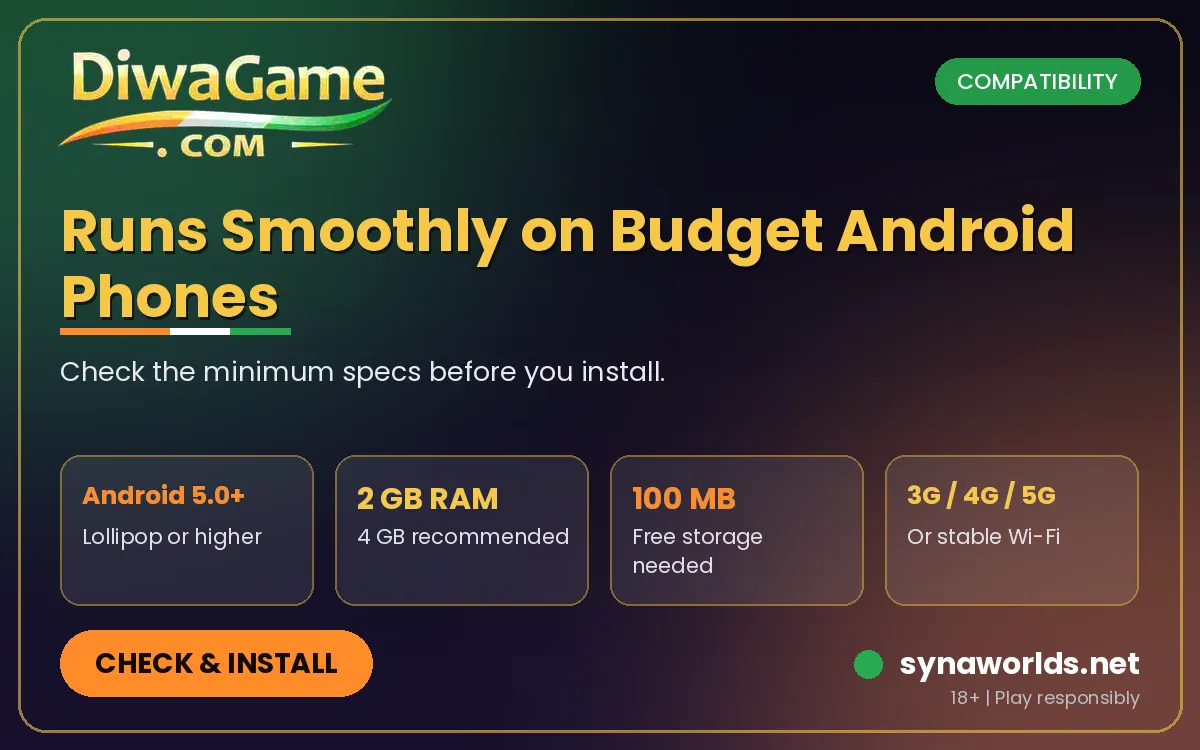
Android 5.0 (Lollipop) and above
Memory
2 GB RAM minimum, 4 GB recommended
Cost
Free to download
How to Download and Install the Diwa Game APK
Complete these steps in sequence for a clean installation.
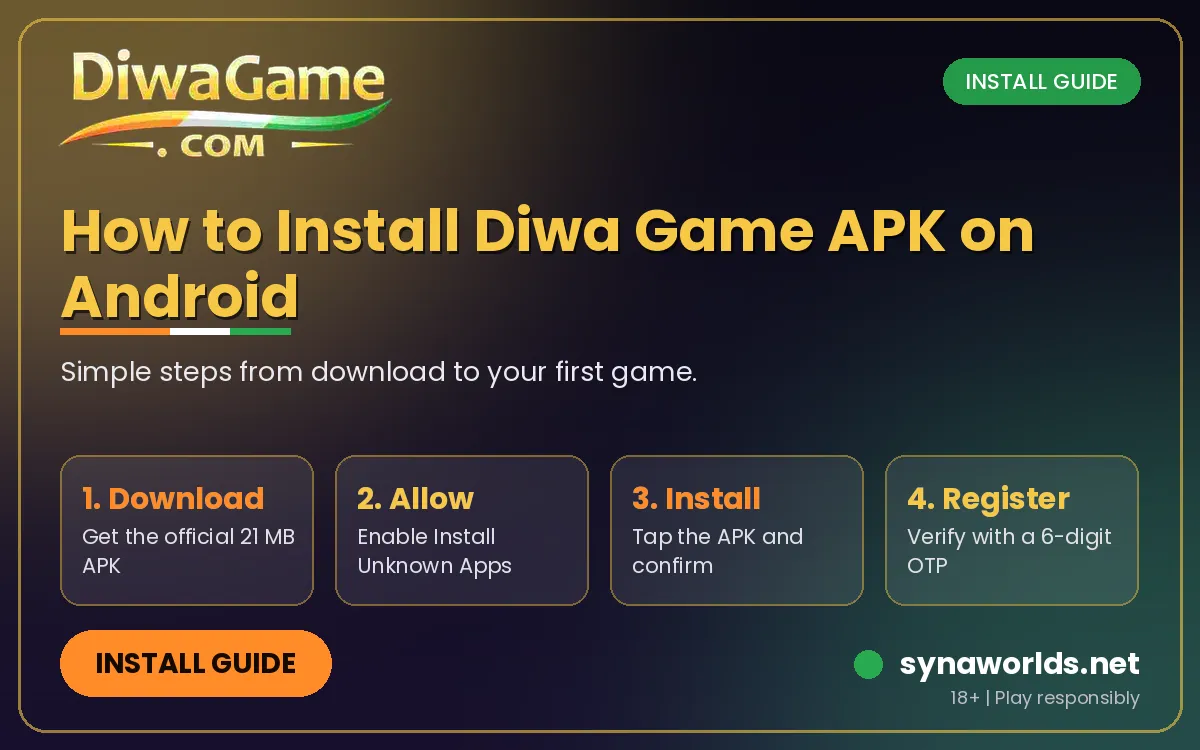
Free Up Storage
Make sure your phone has at least 100 MB of free space. A little more is better, because the app stores game assets and cache files over time.
Download the Installer
Use the official link on this website to fetch the APK file. Avoid forwarded files on messaging apps and third-party mirrors, since modified packages can contain unwanted code.
Allow Installation from Your Browser or File Manager
Open Settings, go to Security or Privacy, and find Install Unknown Apps. Enable it only for the app you are using to open the file, such as your browser or File Manager.
Open the File and Tap Install
Go to your Downloads folder, tap the APK, and confirm installation. The process usually finishes in under a minute.
Handle Any Warning Carefully
Android may display a protection notice for files from outside the store. Proceed only if you downloaded the file from the official link.
Switch Off the Permission Again
After installation, return to settings and disable unknown-source installation for your browser. This keeps your phone safer for the future.
Open the App and Register
Launch the application and follow the on-screen prompts. If you are new, continue with the login and account guide after setup.
Safety rule: Download the APK only from the official source linked on this page. Never install a file that someone sends you privately, and never enter your password on a website that merely looks similar.
System Requirements and Device Compatibility
| Parameter | Minimum | Recommended |
|---|---|---|
| Android version | 5.0 (Lollipop) | 11.0 or newer |
| RAM | 2 GB | 4 GB or higher |
| Free storage | 100 MB | 500 MB |
| Network | Stable 3G | 4G, 5G, or Wi-Fi |
| Processor | Quad-core 1.5 GHz | Octa-core 2.0 GHz or faster |
Phones that meet the minimum requirements can run the app, although recommended specifications give smoother animation and faster loading during live tables. iOS devices are not supported by the standalone package, but some features may be reachable through a mobile browser.
Is the Diwa Game APK Safe? A Practical Checklist
Safety comes from good habits as well as good software. Use this checklist every time you install an APK.
- Verify the source
Only use links published on trusted pages. Look at the full address and avoid misspelled domains.
- Check the file size
The legitimate installer is close to 21 MB. A much larger or smaller file may be altered or incomplete.
- Review permissions
Grant only the permissions the app needs to function, such as network access and storage for installation.
- Keep the phone updated
Install system security updates and keep a trusted antivirus or Play Protect active.
- Update the app regularly
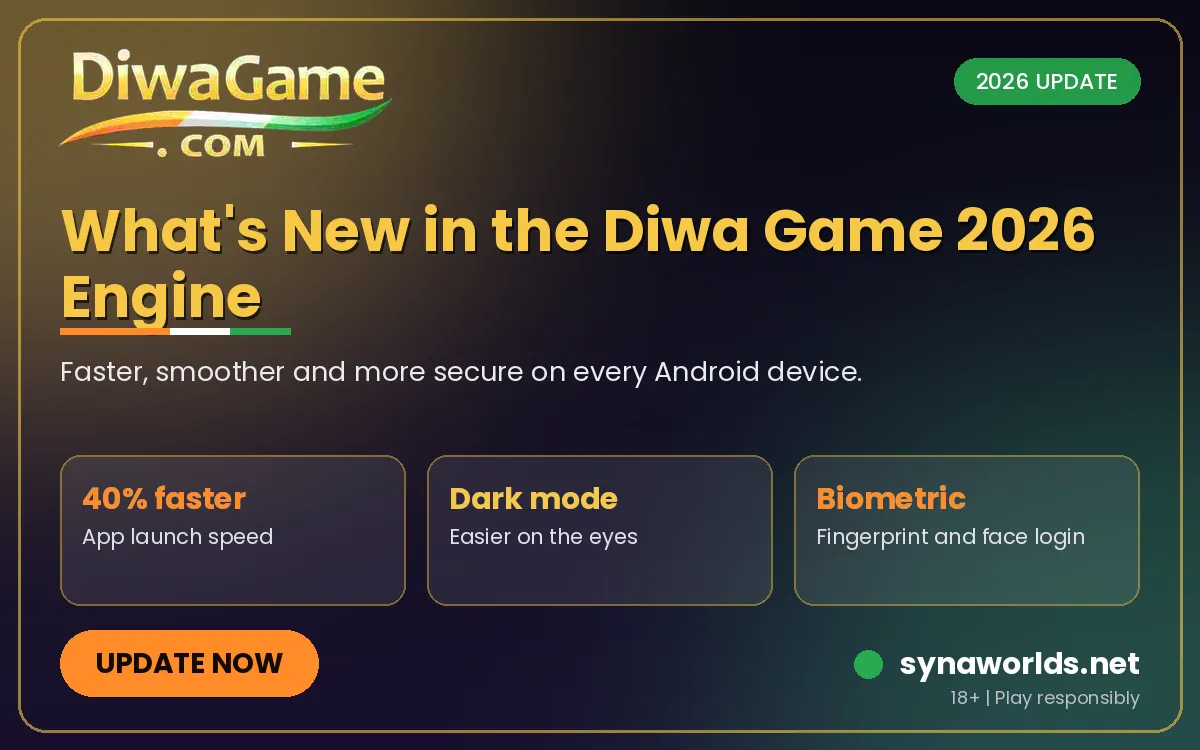
New builds bring security patches and performance improvements, including faster launching and biometric sign-in.
Our disclaimer explains that this website is an independent portal and not the app operator, so always cross-check details inside the application itself.
Installation Errors and Quick Fixes
- App not installed
This often means the file is corrupted or an older version conflicts with it. Delete the file, download it again, and remove any previous copy before installing.
- Parse error
Your Android version may be too old, or the download was interrupted. Check your system version and download again on a stable network.
- Installation blocked
Return to Install Unknown Apps and allow it for the correct app.
- Insufficient storage
Clear cache and unused apps, then retry.
- App crashes on launch
Restart the phone, clear the app cache, and make sure you are on the latest build.
If problems continue, see the support options on the contact us page.
What to Do After Installation
Once the app is on your phone, set it up in a few minutes. Create or access your account, secure it with a strong password, and enable biometric unlock. Next, review the available promotions. Eligible new users can learn how the starting credit works in the bonus guide.
Then decide how you want to play. Set deposit limits, session reminders, and budget boundaries before your first game. You will find helpful advice on the responsible gaming page, and you can learn more about who maintains this guide on the about us page. Remember that the application is for adults aged 18 and over.
Diwa Game APK FAQ
Is the Diwa Game APK free?
Yes. Downloading and installing the file is free of charge.
Why is the app not on the Google Play Store?
Many real-money gaming apps are distributed directly as APK files because of store policies. This is why careful source checking matters.
Will the APK update automatically?
Updates may be offered in the app. If not, download the newest official installer and install it over the old version.
Can I install it on a tablet?
Yes, if the tablet runs Android 5.0 or higher and meets the memory requirements.
Will uninstalling delete my account?
No. Your account data is stored on the server. You can reinstall the app and sign in again.
Ready to Continue? Stay Safe and Play Within Your Limits
Use the official application only, protect your account, and set a budget before you play. Gaming is for adults aged 18 and above and should always remain entertainment.
Back to topSafety Notice & Responsible Gaming
Independent portal: This website provides informational and educational content about the Diwa Game application. It is not an official app store or the app operator, and it does not process payments or host real-money games. All trademarks belong to their respective owners.
Age limit: Strictly for users aged 18 or older. Minors must not participate.
Risk advisory: Gaming involves financial risk and can become addictive. Never spend money you cannot afford to lose and never treat gaming as income. If play stops being fun, take a break and speak with someone you trust or a qualified counselor.